For restaurants
Choose the modules your restaurant needs
Arcángel organizes your restaurant in modules: you pick what you need, the price is worked out per branch and per module, and each restaurant's data is kept separate from everyone else's. Anything not ready yet is labelled coming soon.
What usually makes running a restaurant harder
- Separate tools for the menu, the orders and the till that do not talk to each other.
- Plans full of features you never use but still pay for.
- More branches mean more accounts, more passwords and more mess.
How it works
Tell us about your restaurant
Fill in the form with your country, number of branches and what you need.
We tell you what exists and what is coming
We explain which modules are in development and what they will cost, using the price list below.
You decide when to start
No restaurant module can be contracted yet; we will let you know when one is ready.
What is included
-
Coming soon
Menu
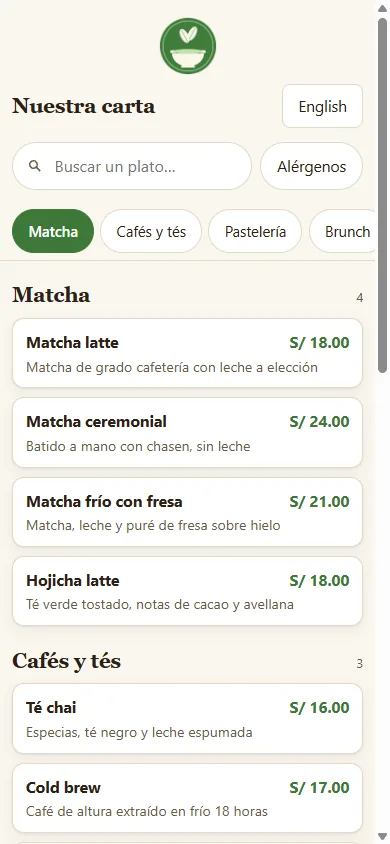
Categories, dishes and prices of your menu in one place.
-
Coming soon
Floor and orders
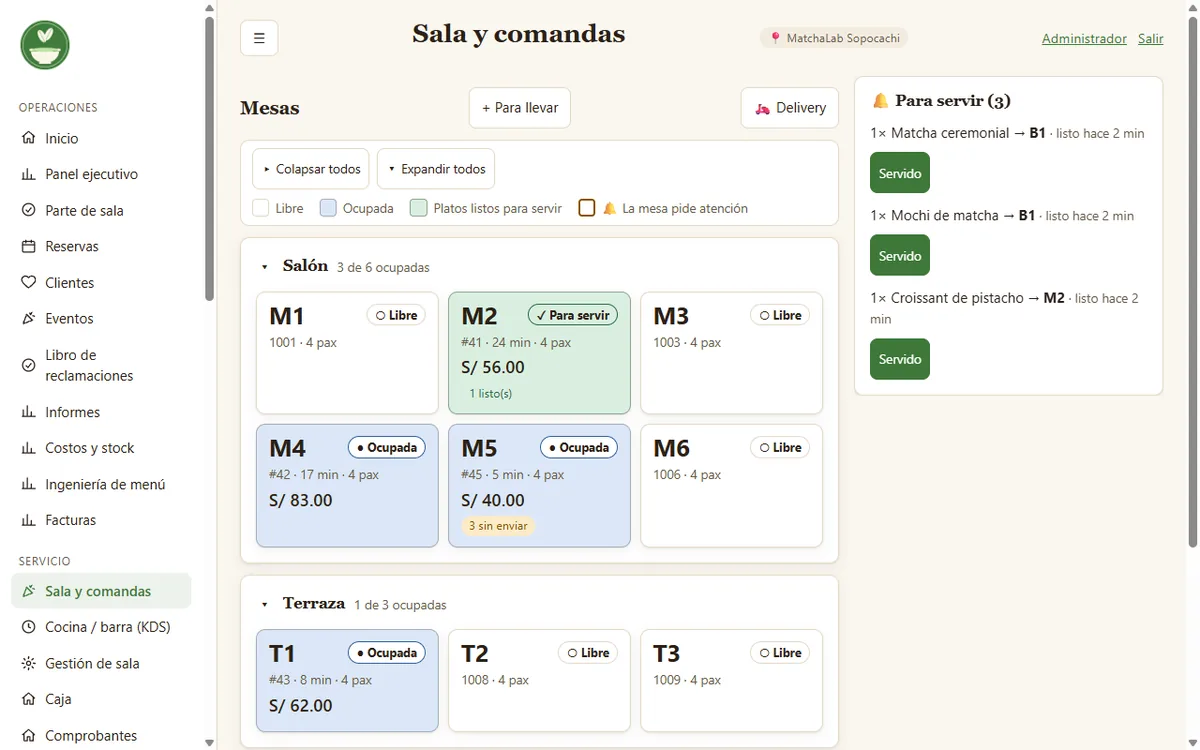
Tables, bills and orders for table service.
-
Coming soon
Till
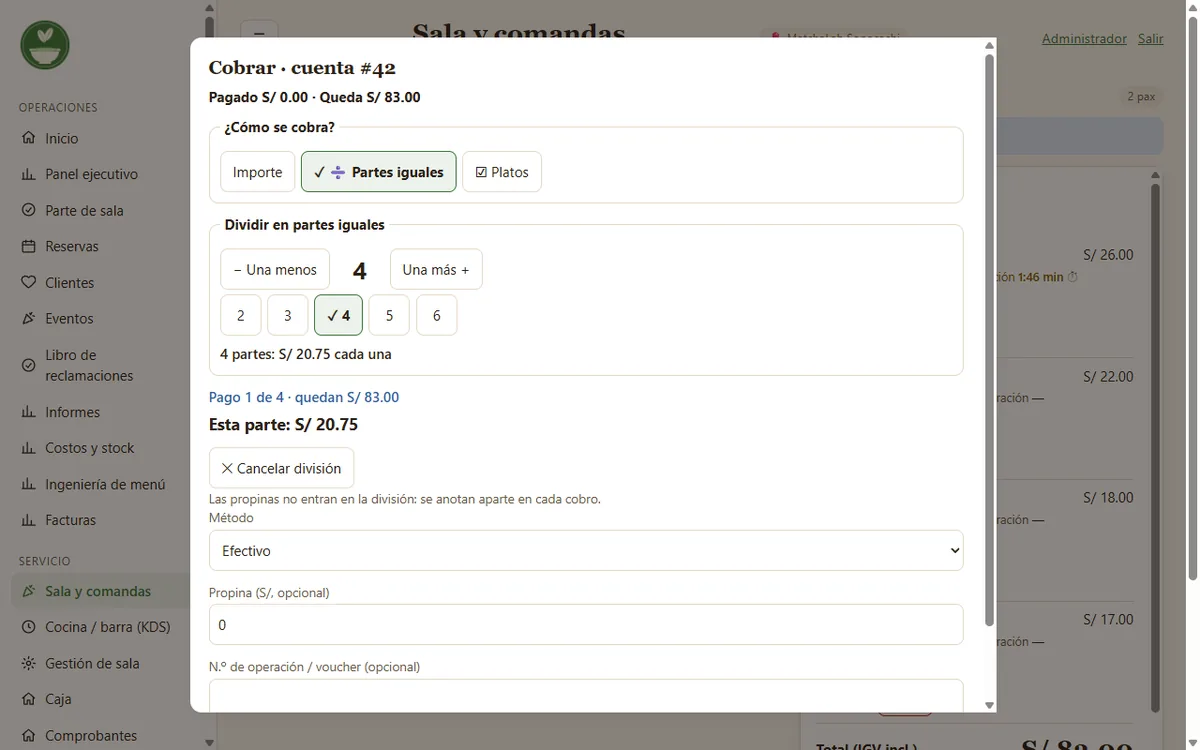
Payments and the end-of-shift cash close.
-
Coming soon
Reports
Business summaries per branch and per restaurant.
-
Available
Pricing per module
A base fee, a fee per branch and one price for each module you switch on.
-
Available
Several branches
The per-branch price follows your active branches; modules are charged once per organization.
-
Available
Data kept apart per restaurant
Each restaurant's information is stored isolated from everyone else's.
-
Available
Read-only after a late payment
After a grace period the account becomes read-only: you can still view your information but not change it.
-
Coming soon
Quipu integration for orders
Sending orders to a Quipu point of sale. Fiscal invoicing is not included.
What it looks like
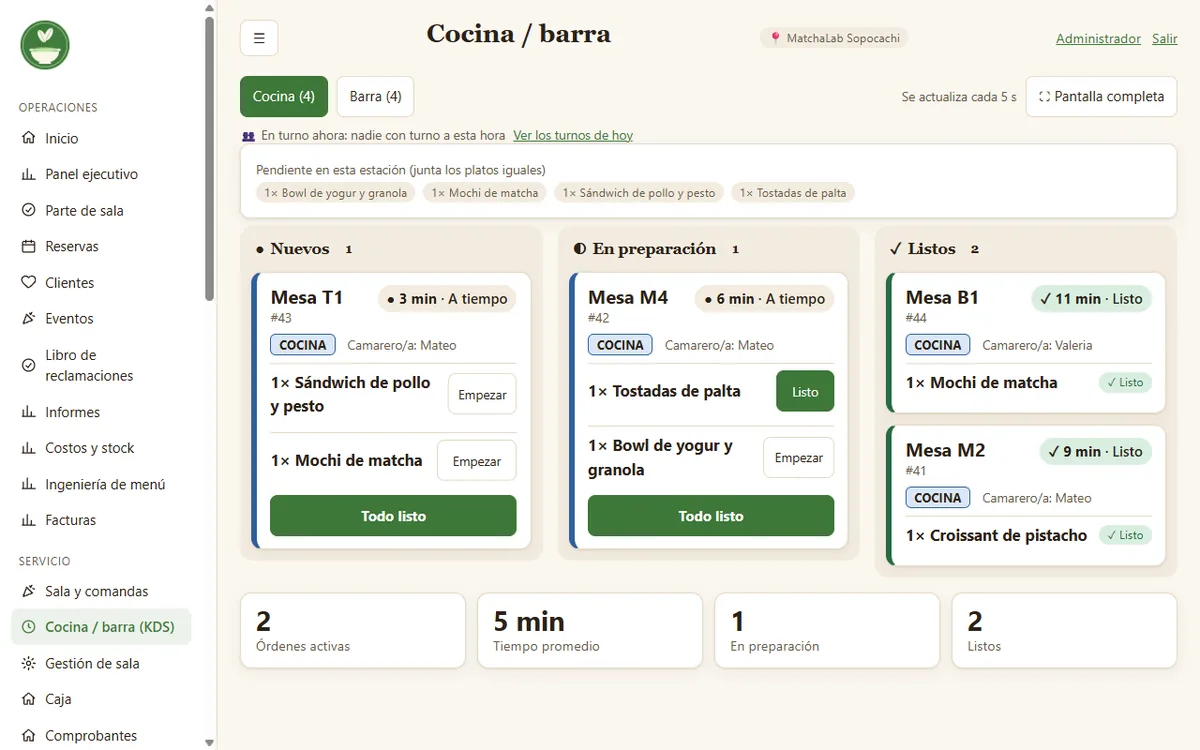
Product screenshots from a demo cafe (MatchaLab Sopocachi, fictional) with made-up data. Modules marked as coming soon cannot be contracted yet.
For the restaurant team
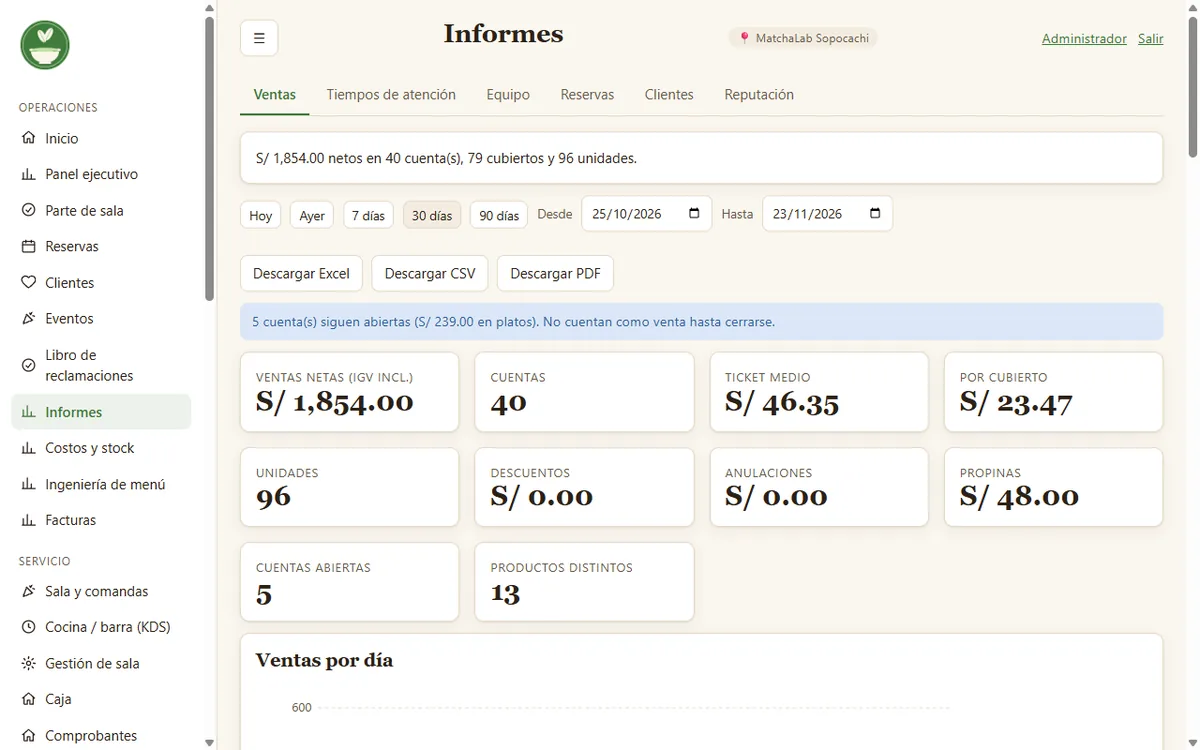
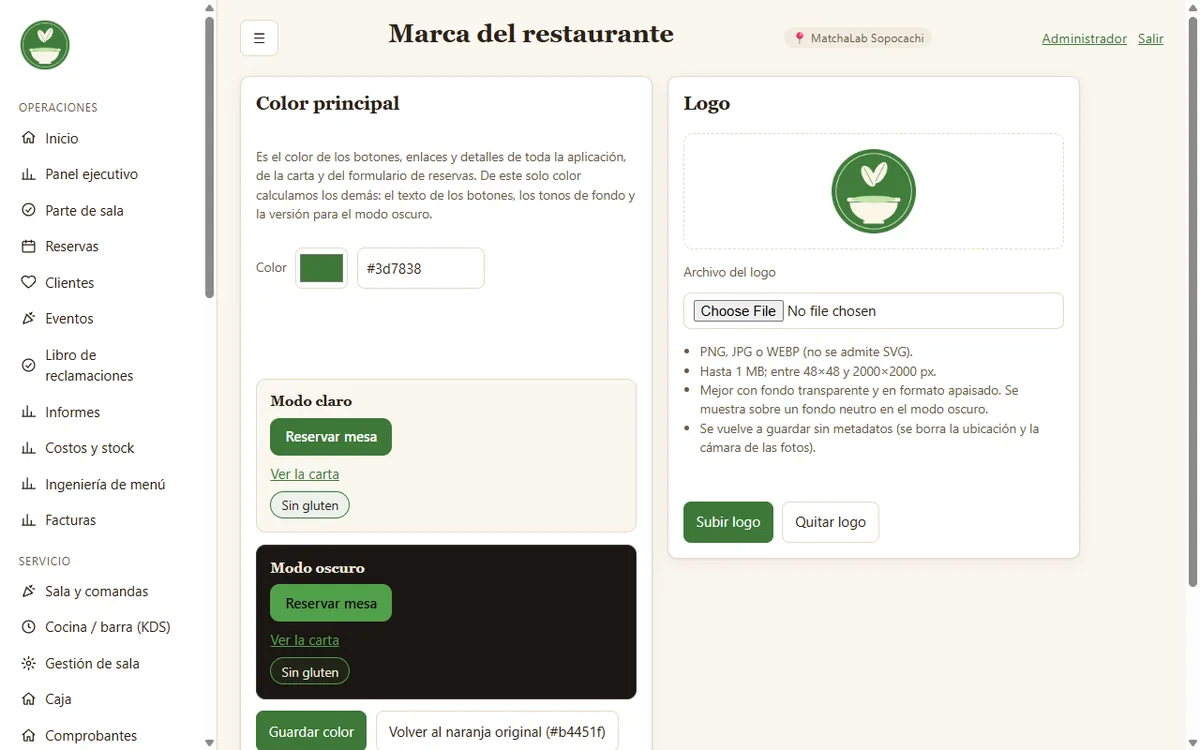
For your guests, on their phone
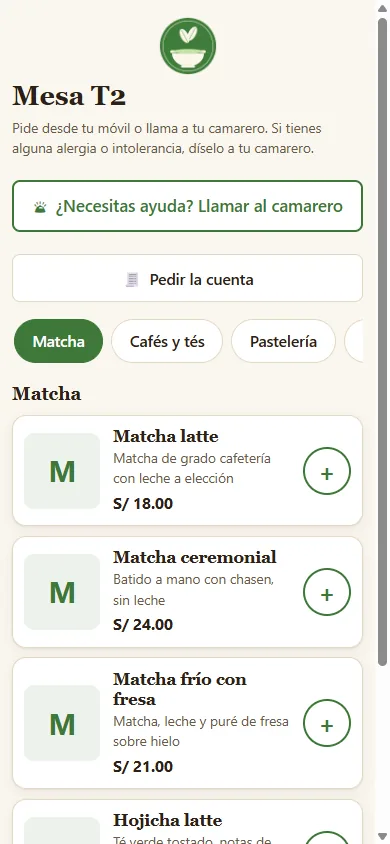
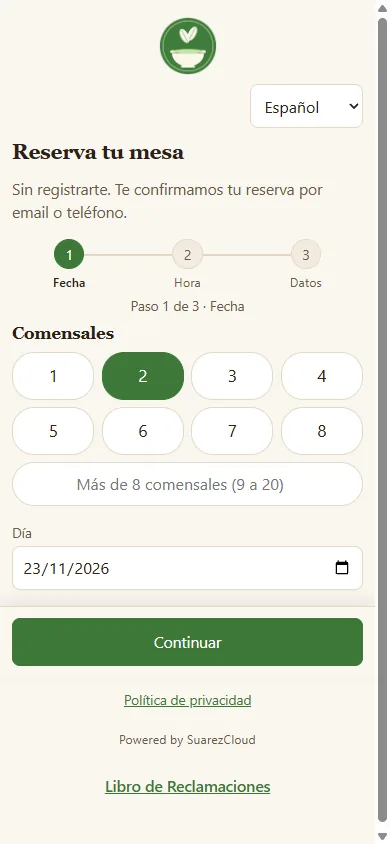
Screenshots from a demo with fictional data.
Pricing
The price is a base fee (if any), a fee per active branch and the price of each module you switch on. These amounts are the current price list.
Base fee
PEN 19.00
Per active branch
PEN 10.00
| Module | Price |
|---|---|
| Menu Coming soon | PEN 9.00 |
| Floor and orders Coming soon | PEN 25.00 |
| Till Coming soon | PEN 19.00 |
| Reports Coming soon | PEN 9.00 |
| Reservations and customers Coming soon | PEN 19.00 |
| Staff Coming soon | PEN 15.00 |
| Costs and invoices Coming soon | PEN 19.00 |
| Quipu integration Peru only Coming soon | PEN 9.00 |
| SUNAT integration (fiscal) Peru only Coming soon | PEN 19.00 |
| Promotions and coupons Available | PEN 9.00 |
| Complaints book (optional) Available | PEN 9.00 |
| Self-service: takeaway ordering (kiosk) Available | PEN 25.00 |
| Self-service: ordering from the table Available | PEN 19.00 |
| Self-service: package (kiosk and tables) Available | PEN 35.00 |
Amounts are per billing period; the period (monthly or yearly) is agreed in the contract.
Frequently asked questions
How much does it cost?
It depends on your branches and the modules you switch on. The price list is in the pricing section; the final contract is agreed with you.
What can be contracted today?
No restaurant module (menu, floor and orders, till, reports) can be contracted yet. What exists today is the platform foundation: modular contracts, per-branch and per-module pricing, data kept apart per restaurant and read-only mode after a late payment. Modules are listed as coming soon until they are ready.
Will I be able to start with a few modules?
That is the idea: the contract is modular, so you will be able to contract only what you need once modules are available.
Is my data mixed with other restaurants' data?
No. Each restaurant's information is stored separately from everyone else's.
What happens if a payment is late?
There is a grace period. After it, the account becomes read-only: you can view your data but not change it.
Does it issue fiscal invoices?
No. The planned Quipu integration is for orders; fiscal invoicing is not included.
Shall we talk about your restaurant?
Leave your details and we will get in touch to see which modules suit you.